


Ball Bounce
4.510.25K Reviews
App Specs
- Version
- 1.8.0
- Updated On
- License
- Free
- Downloads
- 5,000,000+
- Developer
- Gimica GmbH
- Categories
- Casual
- Platform
- Android
Screenshots
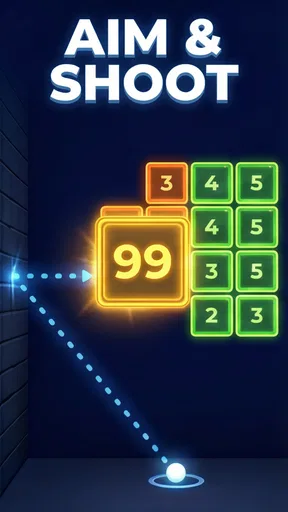
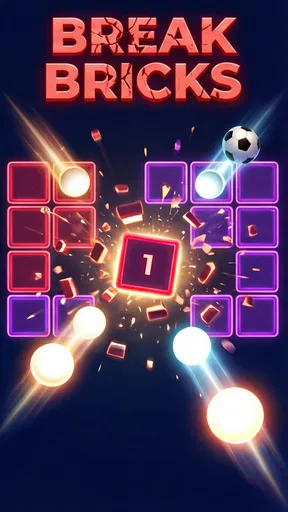



 Analysis by AppCompare
When I have a few minutes to fill, I tend to prefer a game that lets me get started quickly and doesn’t ask me to learn a stack of rules. Ball Bounce fits that mood: it’s a casual game built around guiding a bouncing ball past obstacles, with the appeal coming from trying to stay in control as the action gets harder. I find it easy to pick up, though its simple premise won’t suit everyone looking for variety or a deeper challenge.
Why the bouncing-ball idea works
The central pleasure is the contrast between a basic action and the attention it demands. You steer the ball by swiping left or right, but the obstacles become faster and more involved as you progress. That means I can understand what I’m meant to do almost immediately, then focus on timing and reacting rather than reading instructions. When a run goes wrong, it’s usually clear that I mistimed a move or didn’t respond quickly enough, which makes another attempt feel worthwhile.
That direct feedback is a good fit for short play sessions. I don’t need to remember a complicated setup before opening the game, and I can concentrate on the next stretch of obstacles instead of managing several systems at once. The main skill is staying composed while the pattern gets busier; frantic swiping can make a manageable section harder, while watching ahead gives me more time to choose a side.
How a run feels in practice
In my experience, the game’s challenge comes less from learning a long list of controls and more from keeping a steady rhythm. A useful habit is to make deliberate, measured swipes rather than repeatedly moving back and forth. When the path becomes more demanding, I try to notice the next obstacle before reacting to the one immediately in front of the ball. That small change helps me avoid treating every moment as an emergency.
There’s also a useful distinction between a failed attempt that teaches me something and one where I’m simply playing impatiently. If I keep hitting the same kind of obstacle, I pause for a moment and think about whether I moved too early or chose the wrong direction. Trying a different approach can be more productive than swiping faster. The game’s straightforward controls make that kind of self-correction possible without turning practice into a separate chore.
The changing backgrounds and obstacles help give levels their own feel, while the restrained visuals keep attention on the ball’s route. I like that the presentation doesn’t compete too much with the task. The sound effects add a bit of feedback, but the visual cues do most of the work for me. If I’m playing somewhere noisy or want to keep things quiet, I can still follow what’s happening on screen.
A good fit for the gaps in a day
A realistic use for this game is a short wait when I’m not ready to start a longer activity: a few minutes before an appointment, a pause between errands, or a quiet break at home. I can open it, focus on a run, and put it away when I need to move on. It doesn’t demand the kind of sustained attention I’d give a story-driven game, which is exactly why it works as a casual time-filler.
Worth Reading Before You Choose

EA SPORTS FC Mobile 26 Is a Bigger Football Game, but It Takes Time

Flipboard Shows What News Apps Must Do Beyond the Feed

Switching to Android Auto Means Rethinking Your Driving Routine

Google Calendar Makes a Crowded Week Easier to Manage

Ludo King Makes the Most of the Minutes Between Plans

Baby Panda World Brings Quick Play to Modern Phones, but Its Game Library Feels Busy
It can also suit someone who likes improving through repetition. If you enjoy noticing a mistake, adjusting your timing, and seeing whether the next attempt goes better, the simple loop has a satisfying purpose. But if you want a game with a narrative, extensive character development, or a wide range of activities, this is unlikely to hold your attention for long. The appeal is focused: steer, react, learn, and try again.
Where it sits among casual games
Compared with a typical match-and-clear puzzle, this is more about quick reactions than planning several moves ahead. Compared with an endless runner, its left-and-right steering and bouncing-ball focus give the action a more specific feel, though both styles reward attention and repeated attempts. I’d choose a slower puzzle when I want time to think through options; I’d pick this when I want a more immediate test of timing.
That focus is both its strength and its limit. The controls are easy to grasp, so it’s friendly to newcomers, but the same narrow core can start to feel repetitive if you expect every session to introduce a different kind of task. The increasing obstacle patterns offer a reason to keep practicing, yet they don’t change the basic way I play. Whether that feels pleasantly uncomplicated or too samey depends on what you want from a casual game.
Getting Started with Ball Bounce
First things first, downloading Ball Bounce was a breeze. Available on both Android and iOS, I just hopped onto my app store, hit download, and the game was ready to go in no time. The first thing I noticed was the clean and simple interface—it’s inviting without being overwhelming. The game’s design is straightforward, which makes it really easy to dive right in without needing a manual.
The Gameplay Experience
So what’s the deal with the gameplay? It’s incredibly straightforward yet surprisingly addictive. You control a bouncing ball that navigates through a series of obstacles. The controls are intuitive: you simply swipe left or right to guide the ball. It sounds easy, but trust me, it gets tricky as you advance through the levels! The obstacles start coming at you faster and in more complex patterns, keeping you on your toes.
What I really love is how the game balances challenge with fun. There’s this satisfying feeling when you finally master a level after a few failed attempts. Each level has its unique vibe, with different backgrounds and obstacles that keep things fresh. And the sound effects? They add a nice touch, making it even more immersive. You’ll find yourself completely absorbed as you try to beat your high score.
Graphics and Design
Ball Bounce doesn’t have flashy graphics, but that’s honestly part of its charm. The minimalist design is easy on the eyes, and it’s perfect for a game you’d want to play on the go. The colors are vibrant enough to catch your attention without being distracting, which is perfect when you’re trying to focus on navigating those tricky levels.
What’s also cool is the way the game transitions between levels. It’s smooth and seamless, which keeps you in the flow and avoids any annoying lag that could break your concentration. The developers have done a great job of keeping it simple but effective.
A Few Tips and Tricks
Now, if you’re looking to up your game, here are a few tips I’ve picked up along the way:
- Stay Calm: It’s easy to get flustered when the obstacles start coming fast, but staying calm will help you navigate through them more effectively.
- Practice Makes Perfect: Don’t get discouraged if you can’t clear a level right away. Each attempt helps you learn the patterns better.
- Try Different Strategies: Sometimes it helps to change up your approach. If you’re stuck, try a different strategy and see if that helps.
What to consider before installing
The game is free to download, and optional in-app purchases range from $0.99 to $3.49 per item. I’d treat those purchases as optional rather than a reason to start playing: the core appeal is the simple steering challenge, and you can decide for yourself whether anything offered in the game is worth paying for. It’s rated for Everyone, so its stated age suitability is broad, while parents should still use their usual judgment about a child’s screen time and purchases.
On Android, it requires version 7.0 or later. The game is by Gimica GmbH, and its current version is 1.4.7. It has an average rating of 4.4 from around 133,000 ratings, with more than five million installs. Those figures suggest it has found a sizeable audience, but they don’t tell me whether its quick-reaction style will match your taste; the best test is whether you enjoy repeating a run to improve your timing.
Who will enjoy it—and who may not
I’d recommend giving it a try if you want a lightweight game that is easy to understand and works well in short bursts. It’s particularly suited to players who enjoy a clear, immediate challenge and don’t mind learning through failed attempts. If you usually play while distracted, though, the later, faster obstacle patterns may be frustrating: the game rewards looking at the screen and responding deliberately rather than tapping absent-mindedly.
It’s also not my first choice when I want a calm activity with no pressure. Even though the presentation is simple, reacting to obstacles can demand more concentration than a slow puzzle or a relaxing coloring game. On the other hand, if you’re tired of games that bury their basic action under menus and upgrades, the direct ball-steering loop may feel refreshing.
Final Thoughts
Overall, Ball Bounce is one of those games that’s perfect for anyone looking for a quick and engaging way to pass the time. The blend of simplicity and challenge is just right, making it an app I find myself reaching for whenever I have a few moments to spare. Whether you’re waiting for a bus or just chilling at home, this game is a fantastic companion.
If you haven’t tried it yet, go ahead and give it a shot. I promise, you’ll find yourself bouncing right into the fun!
Pros
- Smooth and responsive controls enhance gameplay.
- Vibrant graphics keep players visually engaged.
- Offers a variety of challenging levels.
- No intrusive ads during gameplay.
- Quick load times for a seamless experience.
Cons
- Limited customization options for characters.
- In-app purchases can be pricey.
- Requires a stable internet connection.
- Occasional bugs in the multiplayer mode.
- Soundtrack can become repetitive.
FAQs for Ball Bounce
What is the objective of Ball Bounce?
The main objective of Ball Bounce is to guide a ball through various levels filled with obstacles, aiming to reach the finish line while collecting as many bonus points as possible. Players must navigate through complex mazes and avoid obstacles, making strategic decisions to progress effectively through the game.
Is Ball Bounce suitable for all ages?
Yes, Ball Bounce is designed to be family-friendly and suitable for players of all ages. It features simple controls and colorful graphics that appeal to both younger players and adults. The game’s difficulty levels can be adjusted, ensuring that everyone from beginners to experienced gamers can enjoy the challenge.
Does Ball Bounce require an internet connection?
Ball Bounce can be played offline, making it a great option for entertainment on the go without needing an internet connection. However, certain features, such as leaderboards or in-game purchasing, may require connectivity to access fully. It’s best to check the game settings for specific online features.
Are there in-app purchases in Ball Bounce?
Yes, Ball Bounce offers in-app purchases that allow players to enhance their gaming experience. These purchases can include unlocking special features, removing ads, or acquiring in-game currency. Players should be mindful of these options and check the settings to manage or disable in-app purchasing if needed.
Can I sync Ball Bounce progress across devices?
Ball Bounce supports progress synchronization across multiple devices, provided you are logged into the same account. This feature allows players to continue their game seamlessly from different devices, ensuring that all progress, scores, and purchases are retained. Check the app’s support section for instructions on how to enable this feature.


